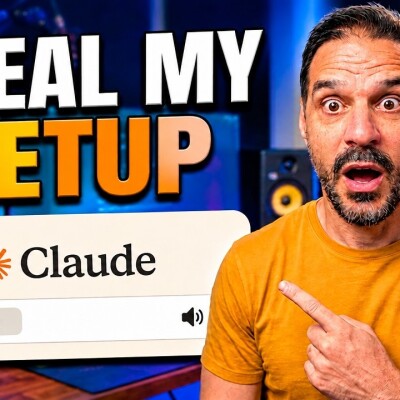
🎁 FREE: My Claude Workspace Kit (the exact setup in this video)
https://bit.ly/tba-claude-kit
On the Google Drive page, click the download button at the top. Don't unzip it.
In the Claude desktop app: Plugins → Add → Upload plugin → pick the zip. Then type "get started".
💻 Download the Claude desktop app (Cowork is desktop only, Mac or Windows)
https://claude.com/download
Set up Claude to manage your business tasks using specific instructions and memory files. Stop manual busywork and automate your agency workflows today.
This video demonstrates how to configure the Claude app to handle your daily operations. You will learn how to create memory files that allow the AI to remember important details and perform tasks based on your exact business requirements, ensuring your system runs efficiently without constant input.
I show you how to direct the app to use specific folders for information, which helps Claude manage business tasks with higher accuracy. By following this setup, you can turn your AI assistant into a reliable tool that executes instructions consistently, saving you hours of time every week.
🤝 Want it set up for you and your team?
We build Claude workspaces around how your business actually runs.
https://bit.ly/tba-claude-setup
🙌 Credit: the folder-based setup idea came from Paul J Lipsky's Cowork OS video
https://youtu.be/cJ2QCyr3yzU
I'm Steve with The Branding Agency, a marketing agency in Charlotte, NC. I use Claude every day to run the agency.
Subscribe for more on setting up Claude for your business.
The Branding Agency is not affiliated with or endorsed by Anthropic. Claude is a trademark of Anthropic.
⏱️ CHAPTERS
00:00 Why Claude feels like a blank chat box
00:28 How I use Claude every day
01:07 Credit: Paul Lipsky's Cowork OS
01:51 Cowork is desktop only
02:31 Connectors, skills and plugins
04:25 Install the free kit
05:01 How the folder setup works
06:04 Create your workspace folder
06:41 Pick your model
07:01 Run "get started"
07:59 Paste your instructions into settings
08:58 Look inside the files it made
09:20 Pick the right folder for each job
09:52 Memory: remember this
11:02 Forget that
11:15 Create a folder for anything
11:51 Turn any task into a skill
12:30 Real examples from my agency
13:10 Scheduled tasks
13:50 The full setup recap
14:13 Your 2-week challenge
Hosted on Ausha. See ausha.co/privacy-policy for more information.


🎁 FREE: My Claude Workspace Kit (the exact setup in this video)
https://bit.ly/tba-claude-kit
On the Google Drive page, click the download button at the top. Don't unzip it.
In the Claude desktop app: Plugins → Add → Upload plugin → pick the zip. Then type "get started".
💻 Download the Claude desktop app (Cowork is desktop only, Mac or Windows)
https://claude.com/download
Set up Claude to manage your business tasks using specific instructions and memory files. Stop manual busywork and automate your agency workflows today.
This video demonstrates how to configure the Claude app to handle your daily operations. You will learn how to create memory files that allow the AI to remember important details and perform tasks based on your exact business requirements, ensuring your system runs efficiently without constant input.
I show you how to direct the app to use specific folders for information, which helps Claude manage business tasks with higher accuracy. By following this setup, you can turn your AI assistant into a reliable tool that executes instructions consistently, saving you hours of time every week.
🤝 Want it set up for you and your team?
We build Claude workspaces around how your business actually runs.
https://bit.ly/tba-claude-setup
🙌 Credit: the folder-based setup idea came from Paul J Lipsky's Cowork OS video
https://youtu.be/cJ2QCyr3yzU
I'm Steve with The Branding Agency, a marketing agency in Charlotte, NC. I use Claude every day to run the agency.
Subscribe for more on setting up Claude for your business.
The Branding Agency is not affiliated with or endorsed by Anthropic. Claude is a trademark of Anthropic.
⏱️ CHAPTERS
00:00 Why Claude feels like a blank chat box
00:28 How I use Claude every day
01:07 Credit: Paul Lipsky's Cowork OS
01:51 Cowork is desktop only
02:31 Connectors, skills and plugins
04:25 Install the free kit
05:01 How the folder setup works
06:04 Create your workspace folder
06:41 Pick your model
07:01 Run "get started"
07:59 Paste your instructions into settings
08:58 Look inside the files it made
09:20 Pick the right folder for each job
09:52 Memory: remember this
11:02 Forget that
11:15 Create a folder for anything
11:51 Turn any task into a skill
12:30 Real examples from my agency
13:10 Scheduled tasks
13:50 The full setup recap
14:13 Your 2-week challenge
https://bit.ly/tba-claude-kit
On the Google Drive page, click the download button at the top. Don't unzip it.
In the Claude desktop app: Plugins → Add → Upload plugin → pick the zip. Then type "get started".
💻 Download the Claude desktop app (Cowork is desktop only, Mac or Windows)
https://claude.com/download
Set up Claude to manage your business tasks using specific instructions and memory files. Stop manual busywork and automate your agency workflows today.
This video demonstrates how to configure the Claude app to handle your daily operations. You will learn how to create memory files that allow the AI to remember important details and perform tasks based on your exact business requirements, ensuring your system runs efficiently without constant input.
I show you how to direct the app to use specific folders for information, which helps Claude manage business tasks with higher accuracy. By following this setup, you can turn your AI assistant into a reliable tool that executes instructions consistently, saving you hours of time every week.
🤝 Want it set up for you and your team?
We build Claude workspaces around how your business actually runs.
https://bit.ly/tba-claude-setup
🙌 Credit: the folder-based setup idea came from Paul J Lipsky's Cowork OS video
https://youtu.be/cJ2QCyr3yzU
I'm Steve with The Branding Agency, a marketing agency in Charlotte, NC. I use Claude every day to run the agency.
Subscribe for more on setting up Claude for your business.
The Branding Agency is not affiliated with or endorsed by Anthropic. Claude is a trademark of Anthropic.
⏱️ CHAPTERS
00:00 Why Claude feels like a blank chat box
00:28 How I use Claude every day
01:07 Credit: Paul Lipsky's Cowork OS
01:51 Cowork is desktop only
02:31 Connectors, skills and plugins
04:25 Install the free kit
05:01 How the folder setup works
06:04 Create your workspace folder
06:41 Pick your model
07:01 Run "get started"
07:59 Paste your instructions into settings
08:58 Look inside the files it made
09:20 Pick the right folder for each job
09:52 Memory: remember this
11:02 Forget that
11:15 Create a folder for anything
11:51 Turn any task into a skill
12:30 Real examples from my agency
13:10 Scheduled tasks
13:50 The full setup recap
14:13 Your 2-week challenge
Hosted on Ausha. See ausha.co/privacy-policy for more information.